
Run the queue, instead of the queue running you
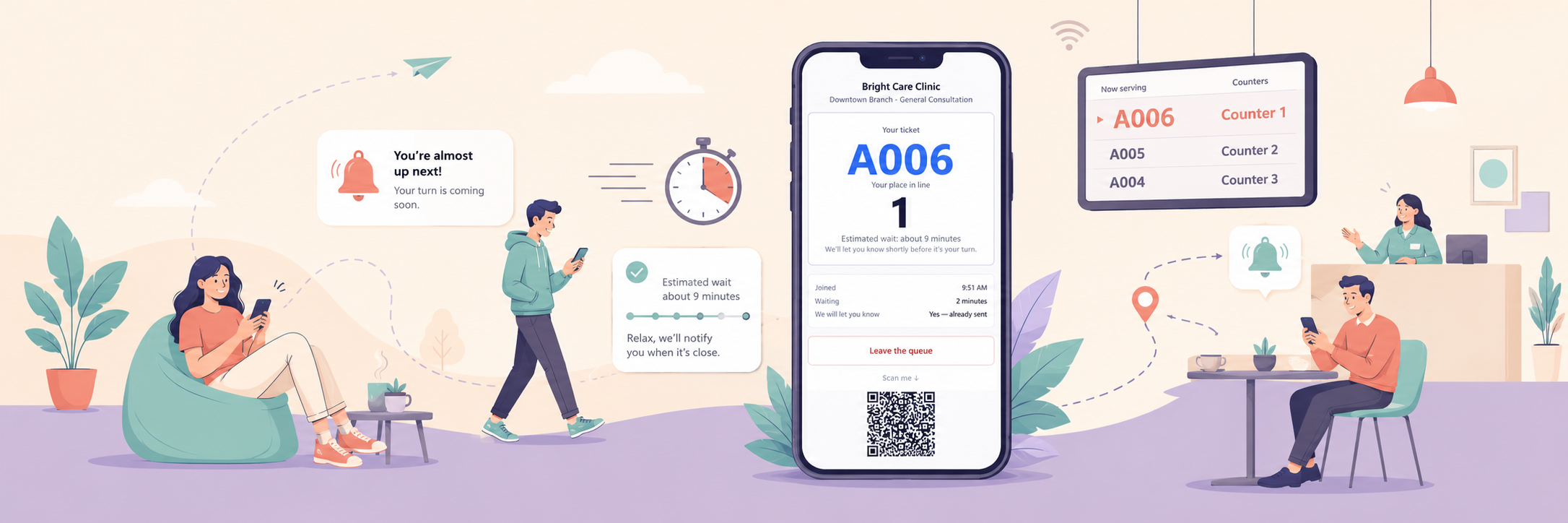
No card, no call, no setup fee. You can be taking customers the same morning.
Built for clinics, banks, government offices, telecom stores, service counters, salons and anywhere else people take a number and wait.
Five screens, and that is the whole product
One waiting list, seen five ways. A member of staff uses two of them; the other three look after themselves.
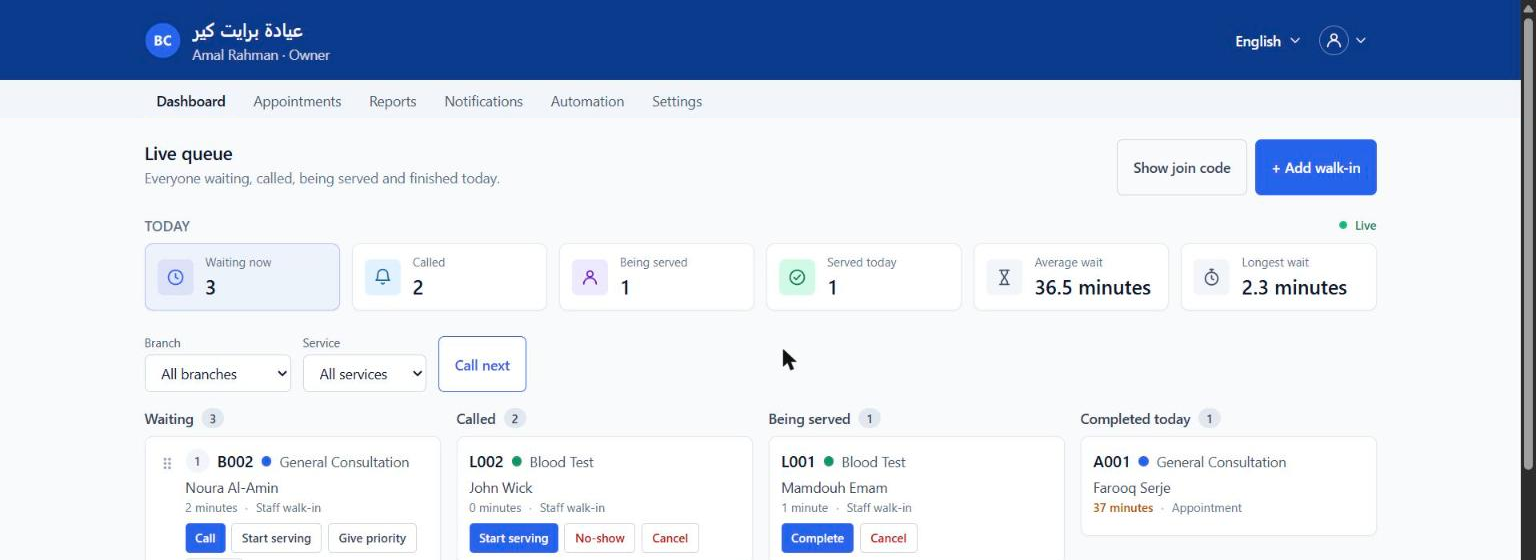


- The staff board
- Who is waiting, who is being served, and one press to call the next person. The only screen a member of staff has to learn.
- The reports page
- Visits, wait times and no-shows over any date range you pick, broken down by service and by branch.
- Self check-in
- A tablet at the door, or the customer's own phone. They pick what they came for, leave a mobile number and get a ticket.
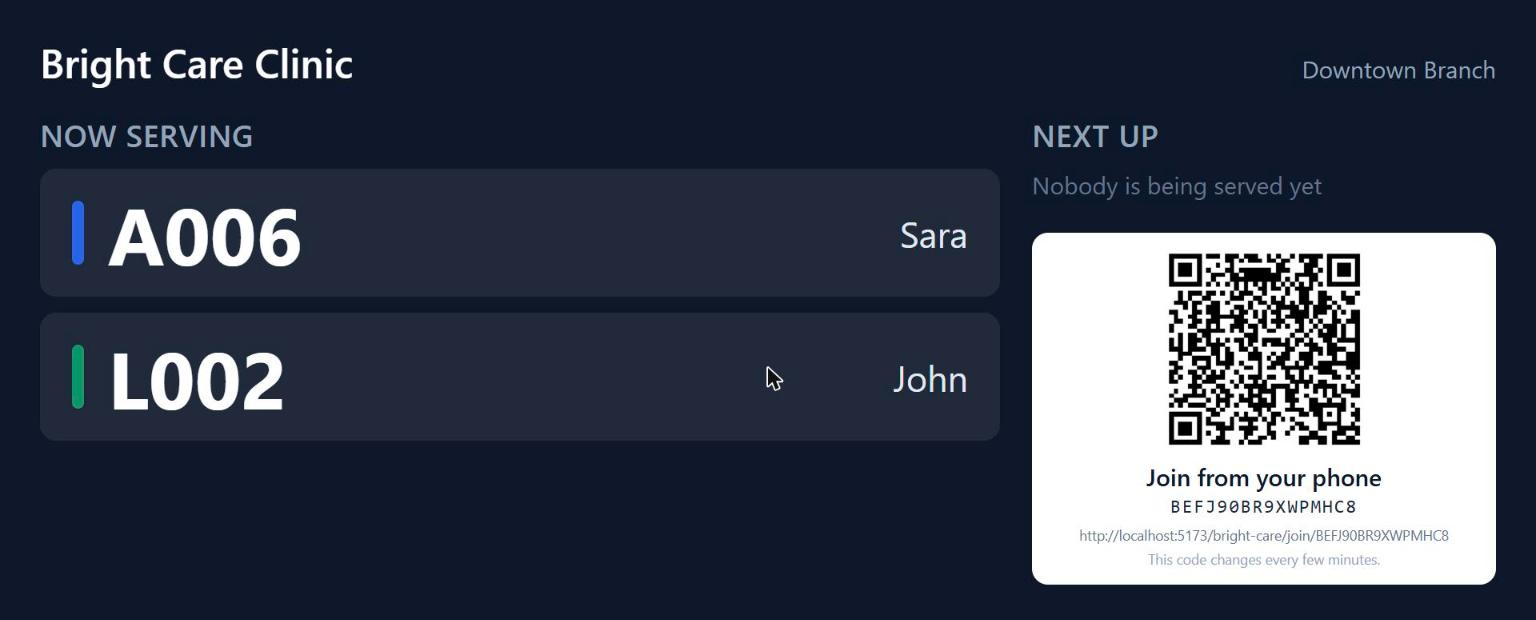
- The waiting-room screen
- Now serving, and who is next. Ticket number, first name and service — never a surname, a phone number or anything they typed.
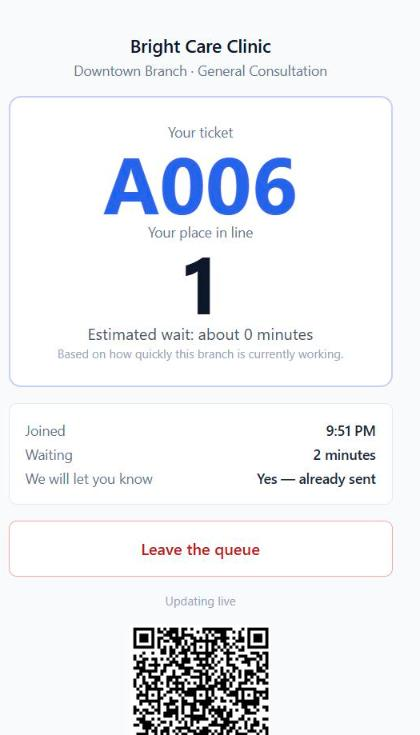
- Their own status page
- Their place in the line and how long it is likely to be, on a link that only works for their visit and stops working when it ends.
How it works
Three things happen, and only the first one needs a person.
People join the line
At the desk, on the tablet by the door, from a QR code on the waiting-room screen, or online before they set off. Every route puts them in the same list.
The queue runs itself
It calls the next person when a counter frees up, warns a customer when their turn is close, marks somebody absent if they were told and did not come, and closes the day at closing time.
You find out what happened
How long people waited, how long they were served, which service was busiest, which branch, which hour of which day — and a CSV of it when you want to work in a spreadsheet.
Who it is for
The queue problem is different in every sector even though the product is the same. Pick the one that looks like yours.
What you get
Every one of these is in the product today. Nothing on this page is coming soon.
Walk-in waiting lists
Self check-in
Waiting-room screens
Appointments
Email notifications
An engine that runs the queue
Reports you can act on
More than one branch
Who may call whom
Arabic and English
Your colours and your logo
Five questions to set up
Plans
Four plans, starting with a free one that runs a real queue. The table on the pricing page is generated from what the product actually enforces.
Growth
Up to ten places under one business, each with its own hours and screens.
Contact us
Up to 5 branches
Start freeQuestions people ask first
- Do customers need to install anything?
- No. A customer joins from a link, a QR code on the wall or the tablet at the desk, and follows their place in the line in an ordinary browser.
- Does it work without an internet connection at the branch?
- No. QueueFlow is a web application, so the branch needs a connection. Everything a customer does happens in their own browser, so their phone signal is their own affair.
- Can we run more than one branch?
- Yes. Branches are separate waiting rooms with their own opening hours, their own lines and their own screens, and a member of staff is assigned to one of them.
- Is it available in Arabic?
- Yes. The whole product is English and Arabic, right to left, including the kiosk, the waiting-room screen and the messages customers receive.
- Do we have to describe our queues before we can use it?
- No. You answer five plain questions about your branches, your services, how many people you serve at once and who does what, and the waiting lines follow from that.
- What happens to a customer who is called and does not come?
- You mark them absent, or the system does it for you after a wait you set — and it will only do so if that customer was told their turn was coming.
Start with one branch this morning
Answer five questions about how you work and you have a queue you can take customers with. No installation, no visit, nothing to sign.
Walk-in queueAppointment bookingSelf check-in kioskWaiting-room screenMore than one branchFewer no-shows